
Renting does not mean settling for a home that stays stubbornly manual. You can have lights that greet you after work, a bedside lamp that switches off on schedule, and reminders when a window is left open—all without opening a wall or replacing a switch. The trick is to build around things you own and can take with you.
Smart home automation for renters works best when every purchase passes two tests: will it solve an everyday annoyance, and can it come off cleanly when you move? That mindset produces a more useful setup than filling an apartment with gadgets simply because they are connected.
Start With the Rules of Your Rental
Before buying hardware, read your lease and check building rules. A device that sits on a shelf or plugs into an outlet is simpler than anything attached to a door or wired circuit. Even removable adhesive can pull paint, so test it discreetly and follow removal instructions.
Leave hardwired switches, thermostats, doorbells, and locks alone unless your landlord approves changes. Keep existing fixtures and bulbs when swapping permitted accessories so you can restore the apartment later. Get necessary permission in writing.
The Best Removable Smart Devices for an Apartment
Smart bulbs and plug-in lamps
Smart bulbs let you schedule lighting or change brightness without replacing wall switches. They are handy in a rented bedroom with an ordinary bedside lamp. Check that the bulb fits the fixture, and avoid incompatible dimmer switches. A smart bulb needs continuous power, so turning off its wall switch interrupts automation.
For a simpler option, connect a regular lamp to a smart plug. You can move the arrangement to another room in seconds. A smart lighting setup guide can help compare these options.
Smart plugs for predictable tasks
A smart plug suits devices with physical controls that resume operation when power returns, such as certain lamps or fans. It can shut down decorative lights after dinner. Test the appliance first: many electronic devices stay off when power is restored.
Check the plug’s electrical rating and the manufacturer’s instructions. Do not automate a space heater to run unattended or connect high-power heating appliances to ordinary smart plugs. Convenience cannot replace electrical safety.
Portable motion and contact sensors
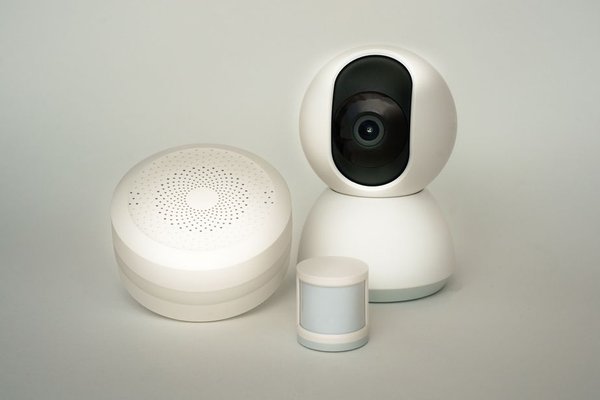
Battery-powered motion sensors can trigger hallway lighting without wiring. Door and window contact sensors can alert you when something is left open, provided the mounting surfaces are suitable. Freestanding mounts are useful where adhesives are restricted. Remember that an app alert does not replace a certified security system or working smoke alarms.
Voice speakers and smart buttons
A compact speaker can manage timers, lighting, and routines from a bookshelf. Prefer voice controls that housemates agree to use. If talking to a speaker feels awkward, a battery-powered smart button offers a physical shortcut. Some buttons require a compatible hub, so check before buying.
Choose Your System Before Collecting Gadgets
Apartment home automation becomes frustrating when every product needs a different app. Begin with a platform you already use, such as Apple Home, Google Home, or Alexa. Confirm that the exact product model works with it rather than trusting a broad brand claim.
Matter helps supported devices work across compatible systems, but it does not guarantee every feature appears in every app. Some Matter devices use Wi-Fi; others use Thread and need a suitable Thread border router. A regular Wi-Fi router alone is not necessarily enough.
Start with one bulb or plug, check reliability, then consider sensors. A smart home routines for beginners guide can help you choose the first automation worth keeping.
Check Your Wi-Fi Before Installing Anything
Many inexpensive smart devices use 2.4 GHz Wi-Fi, even if your phone usually connects at 5 GHz. Read their specifications. On shared building Wi-Fi, captive sign-in pages or device isolation may prevent setup. Ask the provider what is permitted instead of bypassing restrictions.
If you control your router, install updates, use WPA2 or WPA3 security, and choose a unique administrator password. Test each gadget in its intended location rather than beside the router.
A No-Drill Automation That Solves a Real Problem
Picture a studio with one overhead light and a dark path from the front door to the sofa. Rather than changing the ceiling fixture, place a warm-toned lamp on a shelf near the entrance and connect it to a compatible smart plug. Put a motion sensor on a freestanding stand near the doorway, angled away from movement outside.
Set the lamp to turn on when motion is detected after sunset, then turn off after several minutes without motion. Test the routine after dark. Adjust the timeout so it does not switch off while you are putting groceries away. If supported, add a smart button for manual control.
That small experiment demonstrates why placement, overrides, and real daily needs matter more than gadget counts. Everything can be unplugged and packed for your next address.
Keep Automations Simple and Respect Privacy
Good starter routines include dimming lamps in the evening, switching decorative lighting off before bed, and activating a movie-time scene with one button. Avoid complicated chains dependent on several cloud services; an outage could break the routine.
Name devices clearly, install firmware updates, and enable two-factor authentication when available. Think carefully before adding cameras or microphones. Consider the consent of housemates, the privacy of neighbours, building rules, and local law. A smart home privacy checklist is useful when reviewing device permissions and shared access.
Make Moving Day Part of the Plan
Keep original packaging for fragile sensors and hubs, label power adapters, and record what connects to what. Before leaving, remove mounts carefully, restore original bulbs, factory-reset devices according to their instructions, and revoke shared access. At the next apartment, adapt routines to the new layout rather than assuming the old sensor placement still works.
Frequently Asked Questions
Can I make a rental smart without drilling?
Yes. Plug-in lamps, smart bulbs, speakers, smart plugs, and freestanding sensors can provide useful automation without drilling or rewiring. Check your lease before using adhesives or changing fixtures.
Do renter-friendly smart devices require a hub?
Not always. Some Wi-Fi devices connect through an app, while certain sensors and Thread-based products need a compatible hub or border router. Check the exact requirements before purchasing.
Will smart devices work on apartment Wi-Fi?
They may, but shared networks can block discovery or require browser logins that gadgets cannot complete. A permitted private network is generally easier to manage.
What should I remove when I move out?
Pack your devices, remove mounts without damaging finishes, restore original fittings, and reset connected equipment to clear personal accounts and network credentials.
Build a Smart Home You Can Take With You
The best renter smart home is not the one with the most connected products. It makes daily life easier, respects your lease, and leaves no surprises at move-out. Begin with a lamp and one useful routine. Once it works reliably, expand only when you can name the problem your next device will solve.