
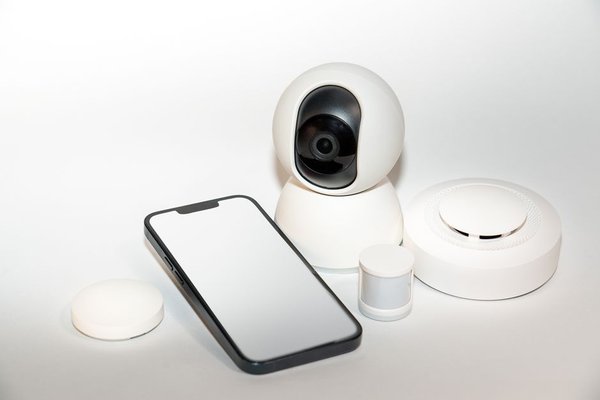
A tiny sensor on a door can do far more than report an opening. The same signal can turn on a light, remind you about an unfinished task, or pause heating while a window is open. Some of the most practical smart contact sensor uses have little to do with traditional home security.
Most contact sensors have a main unit and a magnet. When a door, window, or drawer moves, the gap between them changes, and a compatible smart home platform receives an open or closed state. The sensor does not know who opened the door or why. Its usefulness comes from the automation you build around that simple event.
Make Your Front Door More Helpful
Door sensor automation can make arriving home feel effortless. Opening the front door after sunset might turn on an entryway lamp. Closing it could start a timer that switches the light off later, provided nobody still needs it.
Add context before making the routine more ambitious. For example, combine the door opening with a home-presence condition so a welcome scene runs only when a household member arrives. Otherwise, a delivery or visitor might trigger the same scene.
Contact sensors can also contribute to an armed security routine. A notification when the door opens at night is useful, but the sensor cannot distinguish an intruder from someone returning home. Treat it as one part of a wider safety setup.
Use Window Sensors to Avoid Heating an Open Room
A window contact sensor can help prevent your heating system from working against fresh air. When a bedroom window remains open for several minutes, a compatible thermostat or heating controller could reduce heating in that room. Closing the window could restore the previous setting.
The delay is important. Briefly opening a window should not necessarily change an entire heating schedule. Also check whether your heating system already detects open windows before adding a competing rule.
A simpler application is a bedtime reminder. If the upstairs window is still open when your evening routine begins, send a discreet alert. This use needs no thermostat integration, only reliable sensor reporting and notification support.
Put Contact Sensors Inside Cabinets and Drawers
Cabinets are among the most overlooked places for smart sensors. A cleaning cupboard can switch on a compact task light when opened; a pantry door can trigger an alert only if left ajar for several minutes.
Consider a medicine cabinet, too, but be careful with what the data means. Opening the cabinet does not prove someone took medication. At most, the event can support a reminder or access log; it should never be treated as confirmation of a dose.
In a shared household, explain any notifications to the people affected. Smart convenience becomes less appealing when ordinary movements create unnecessary monitoring.
Light Up Closets, Utility Rooms, and Storage Areas
A contact sensor can be more predictable than a motion sensor in a small closet. Open the door and the light comes on; close it and the light goes off. Nobody has to move in front of a detector to keep the light active.
This is particularly handy in windowless linen cupboards and under-stairs storage. The sensor sends a signal to a compatible light, smart switch, or controller; it does not directly power the lighting circuit.
Create Better Household Reminders
Try putting a sensor on a laundry cupboard. Opening it on wash day could display your checklist or illuminate the utility room. A sensor on a washing-machine door, however, cannot establish whether a cycle has finished. For that, use the appliance’s supported integration or an appropriate cycle-monitoring method.
A garage access door can prompt an after-dark lighting scene. A garden storage box might remind you to close it, provided the chosen sensor is rated for the outdoor conditions. The best reminders concern an action you can actually infer from open-close status.
Build Smart Sensor Routines with Conditions
Useful smart sensor routines rarely need complicated logic, but they do need sensible conditions. Time of day, occupancy, the state of another device, and how long something stays open can all prevent irritating false actions.
Example: A Side-Door Lighting Routine
Imagine entering a dark kitchen through a side door. Set the trigger to “door opens,” add an after-sunset condition, and turn on a kitchen light. A separate rule can switch the light off after the door closes and a delay passes. If people may remain in the kitchen after closing the door, use an occupancy condition or allow manual control instead of turning the light off immediately.
Test the opening and closing events before adding extra logic. Our guide to smart home automation ideas provides another starting point for combining small routines without overlapping actions.
Choose a Compatible Contact Sensor
Before buying, check which wireless protocol and controller the sensor needs. Some models use Zigbee and require a supported hub. Others use Matter over Thread and may need both a Thread border router and a Matter controller. Pairing successfully does not guarantee that every app supports the same automation conditions.
Read the manufacturer’s mounting-gap specification and environmental rating. Indoor-only sensors should not be exposed to rain or extreme temperatures. A guide to Zigbee versus Thread devices can help when choosing equipment for an existing smart home.
Install and Test Before Relying on It
Hold the sensor and magnet in place first and watch the app while opening and closing the door. They must align closely enough in the closed position and separate far enough when open. Uneven trim, metal frames, and poor wireless coverage can make readings inconsistent.
Once mounted, give the device a descriptive name such as “Bedroom Window Left.” Test the full automation, not just the sensor status. Check battery warnings periodically and investigate devices that stop reporting. A sensor that quietly disconnects can leave a routine ineffective.
For more setup guidance, see our smart home sensor placement guide. The goal is dependable detection, not simply finding an adhesive spot that looks tidy.
Frequently Asked Questions
Can a contact sensor work without Wi-Fi?
Yes. Zigbee and Thread sensors communicate over their own wireless networks rather than joining Wi-Fi directly. However, a hub or controller is typically needed, and remote alerts may depend on internet access.
Can I put a door sensor on a drawer?
Usually, yes, if the sensor and magnet fit and remain within the manufacturer’s specified gap when closed. Test the drawer’s movement and final position before fixing the pieces permanently.
Will a window contact sensor automatically turn off heating?
No. You need a compatible heating controller and an automation connecting the window state to a heating action. A short delay is often sensible to avoid reacting to quick openings.
Are contact sensors a replacement for a security alarm?
No. They can contribute to alerts and alarm routines, but reliability depends on battery health, placement, wireless coverage, and the broader security system.
Start with One Everyday Problem
The most satisfying contact sensor setup solves a small annoyance: a dark cupboard, a forgotten window, or a light left on after a door closes. Begin with one well-placed device and a routine you can test. Expand only when the next automation makes life noticeably easier.