
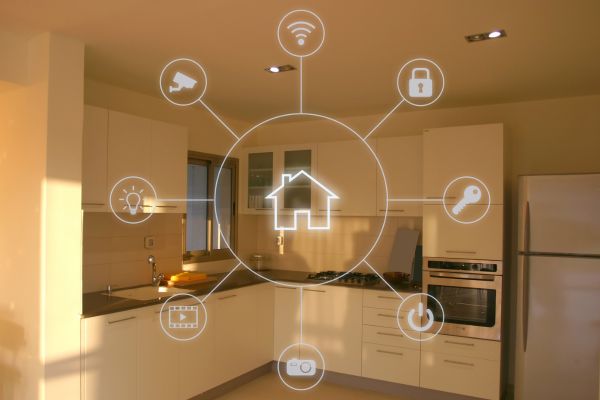
Home internet used to feel simple. A router sat in the corner, a few devices connected to it, and most people only thought about Wi-Fi when the signal dropped. Today, the home network has become much more important. It carries work calls, school assignments, online banking, streaming, smart cameras, gaming consoles, voice assistants, phones, tablets, and sometimes even door locks or baby monitors.
That convenience is wonderful, but it also means the home network has quietly become one of the most valuable digital spaces in everyday life. If it is left unsecured, it can expose private data, slow down devices, invite unwanted users, or create openings for cyberattacks. The good news is that home network security does not have to be complicated. A few smart habits can make a real difference.
These home network security tips are designed for normal households, not just tech experts. They are practical, realistic, and useful for 2026 and beyond, when connected homes will only become more common.
Why Home Network Security Matters More Now
A home network is no longer just about getting online. It is the foundation that connects nearly every digital activity in the house. When that foundation is weak, every connected device becomes more vulnerable.
Think about how many things now depend on Wi-Fi. Your phone may store personal photos and banking apps. Your laptop may contain work files. A smart TV may collect viewing habits. A security camera may record private spaces. Even simple devices like smart plugs and thermostats connect to the same network as your more sensitive devices.
Attackers do not always target people because they are famous or wealthy. Often, they look for easy weaknesses. A router with a default password, outdated software, or an open guest network can be enough to cause trouble. Home network security is not about paranoia. It is about reducing avoidable risks before they become problems.
Start With Your Router Settings
The router is the main doorway into your home network. If the router is poorly protected, everything connected to it is at greater risk. Many people set up a router once and then forget about it for years, but this is one of the first places to improve security.
The most important step is changing the default administrator username and password. This is not the same as your Wi-Fi password. The administrator login is what lets someone access the router settings. If it still uses a default password printed on the device or found in the manual, it should be changed immediately.
Use a strong, unique password for the router admin panel. It should not be the same password you use for email, social media, or online shopping. Once the admin login is secure, review the router settings from time to time, especially after firmware updates or internet service changes.
Create a Strong Wi-Fi Password
Your Wi-Fi password protects access to the network itself. If it is weak, neighbors, strangers nearby, or attackers may be able to connect without permission. Once inside, they might use your internet connection, monitor traffic, or try to reach other devices.
A strong Wi-Fi password should be long, unique, and difficult to guess. Avoid using your name, address, phone number, birthday, family name, or simple phrases. Passwords like “homewifi123” or “family2026” may be easy to remember, but they are also easy to guess.
A better approach is to use a longer passphrase made from unrelated words, numbers, and symbols. It should feel memorable to you but random to anyone else. The longer and less predictable it is, the harder it becomes to crack.
Use Modern Wi-Fi Encryption
Encryption helps protect the data moving across your wireless network. Older security options are weaker and should be avoided whenever possible. If your router supports WPA3, use it. If not, WPA2 is still widely used and much better than outdated options like WEP.
Many routers allow you to choose the security mode in the wireless settings. It may sound like a technical detail, but it matters. Weak encryption can make it easier for attackers to intercept or break into the network.
If your router is very old and does not support modern encryption, it may be time to replace it. A router can last for years physically, but security standards change. In 2026 and beyond, outdated hardware can become a weak point even if everything else in the home is updated.
Keep Router Firmware Updated
Router firmware is the built-in software that controls how the device works. Like phones and computers, routers need updates to fix bugs and security weaknesses. Unfortunately, many people never update their router firmware because they do not know it exists.
Some newer routers update automatically, while others require manual updates through the admin panel. Check your router settings to see which option is available. If automatic updates are offered, enabling them is usually a smart move.
Firmware updates may not feel exciting, but they are one of the most important home network security tips. A router with old firmware may contain known vulnerabilities that attackers already understand how to exploit.
Rename Your Network Carefully
Your Wi-Fi network name, also called the SSID, is visible to nearby devices. While the name itself does not secure the network, it can reveal more information than necessary if you are not careful.
Avoid using your full name, home address, apartment number, router model, or internet provider name in the Wi-Fi network name. A network called “AhmedFamilyHome” or “Flat12Netgear” gives away small clues that are better kept private.
Choose something neutral and simple. It does not need to be clever or funny. The goal is to avoid broadcasting personal details to anyone within range.
Set Up a Guest Network
A guest network is a separate Wi-Fi connection for visitors and less trusted devices. This is useful because it keeps your main devices away from temporary users. When friends, relatives, or workers need internet access, they can use the guest network instead of your main network.
Guest networks are also helpful for smart home devices. Many smart gadgets do not need access to your laptop or phone. They only need internet access to function. Placing them on a separate network can limit damage if one of those devices becomes compromised.
Make sure the guest network has its own strong password. Also, disable access to local devices if your router offers that option. This helps keep guest users separated from your private computers, storage devices, and printers.
Be Careful With Smart Home Devices
Smart home devices are convenient, but they can also increase risk. Cameras, speakers, doorbells, thermostats, and appliances often stay connected all day. Some are updated regularly, while others may receive little support after purchase.
Before adding a smart device to your home, check whether it allows password changes, software updates, and privacy settings. Avoid devices that require default passwords or seem difficult to update. Cheap devices can be tempting, but poor security can cost more in the long run.
Once installed, change default passwords and keep the device software updated. Turn off features you do not use, such as remote access, microphones, or cloud sharing options. Small settings can make a big difference.
Disable Features You Do Not Need
Routers often include extra features that many households never use. Some of these features can create unnecessary security risks if left enabled. Remote administration, universal plug and play, and automatic device discovery features may be useful in certain situations, but they can also open doors if poorly configured.
Remote administration allows router settings to be accessed from outside the home network. Most people do not need this. If it is enabled and weakly protected, it could become a serious risk.
Universal plug and play, often called UPnP, allows devices to automatically open network ports. It can help with gaming or media devices, but it can also be abused. If you do not need it, consider turning it off.
Security often improves when you reduce what is exposed. Fewer open doors mean fewer chances for something to go wrong.
Watch for Unknown Devices
Every now and then, check which devices are connected to your network. Most routers show a list of connected devices in the admin panel or mobile app. You may see phones, laptops, TVs, printers, cameras, and other gadgets.
If you notice a device you do not recognize, investigate it. Sometimes the name may look strange even when it belongs to one of your own devices. But if you are sure it is not yours, change your Wi-Fi password and reconnect only trusted devices.
This habit is especially useful in busy homes where many people connect new devices. It helps you stay aware of what is actually using your network.
Secure Your Devices Too
Home network security is not only about the router. The devices connected to the network also need protection. A secure router cannot fully protect a laptop with outdated software or a phone using weak passwords.
Keep operating systems, browsers, and apps updated. Use screen locks on phones and tablets. Install security updates when they appear instead of delaying them for weeks. Remove apps and programs you no longer use.
Also, be cautious with downloads, email links, and suspicious pop-ups. A home network can be well configured, but one infected device may still cause problems. Security works best when the network and devices support each other.
Use Two-Factor Authentication for Important Accounts
Two-factor authentication does not directly secure the Wi-Fi network, but it protects the accounts you use through it. If someone steals a password, two-factor authentication can stop them from logging in without the second step.
Enable it for email, banking, cloud storage, social media, work accounts, and password managers. An authentication app is usually stronger than a text message code, though any extra layer is better than none.
Since many home network risks involve stolen passwords or compromised devices, protecting accounts adds another safety net. It is one of those habits that feels slightly annoying at first but becomes normal quickly.
Avoid Sharing Your Main Password Casually
It is common to give the Wi-Fi password to guests, relatives, neighbors, or service workers. The problem is that once a password is shared, you lose some control over where it goes. Someone may save it on a device you do not trust or pass it to someone else without thinking.
This is another reason guest networks are useful. They let you be hospitable without exposing your main network. You can change the guest password whenever needed without reconnecting all your personal devices.
A Wi-Fi password should be treated like a house key. You may share it when necessary, but it should not be handed out casually.
Think About Physical Router Placement
Router placement affects speed, but it can also affect security in small ways. If your Wi-Fi signal reaches far beyond your home, it may be easier for people nearby to detect and attempt access. You do not need to hide the router in a drawer, but placing it centrally inside the home is usually better than keeping it near a window or outside wall.
A central position improves coverage indoors and may reduce signal leakage outdoors. This is not a replacement for strong encryption and passwords, of course. Still, it is a simple detail that supports better control over your network.
Build a Habit of Reviewing Security
Home network security is not a one-time task. It works best as a habit. You do not need to check settings every day, but a quick review every few months is sensible.
Look for firmware updates, unknown connected devices, old guest passwords, unused smart devices, and outdated equipment. If you change internet providers or replace your router, avoid rushing through the setup. Take a few extra minutes to configure security properly.
Technology will keep changing beyond 2026. Homes will become more connected, and attackers will keep looking for weak spots. The safest households will not be the ones with the most expensive equipment. They will be the ones with better habits.
Conclusion
A secure home network gives you more than faster browsing or smoother streaming. It protects the digital space where your personal life, work, entertainment, and private information now meet. As more devices enter the home, the network behind them deserves real attention.
The most useful home network security tips are practical: secure the router, use strong passwords, enable modern encryption, update firmware, separate guests and smart devices, and stay aware of what is connected. None of these steps requires expert-level knowledge, but together they create a stronger, safer home environment.
In the end, home network security is about taking control of the invisible system that supports everyday life. A little care today can prevent bigger problems tomorrow, and that makes it a habit worth keeping well beyond 2026.