
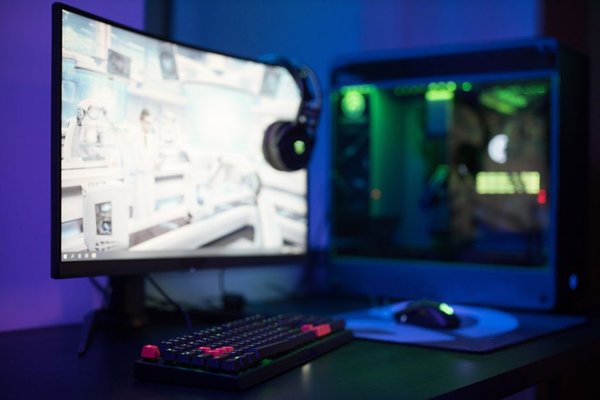
Buying your first gaming PC should not feel like studying for an engineering exam. The best gaming desktop for beginners in 2026 is usually a balanced prebuilt: powerful enough for modern games, simple to set up, easy to upgrade, and free from costly enthusiast parts you may never use. For many first-time buyers, GeForce RTX 5060-class graphics, 16GB of DDR5 memory, and a 1TB NVMe SSD are a practical starting point.
What a beginner gaming desktop should get right
A starter gaming PC needs balance more than bragging rights. The graphics card has the biggest impact on gaming, but it should be paired with a capable processor, enough memory, and fast storage. In 2026, 16GB of RAM remains a sensible entry point, while 32GB is worth considering for streaming, content creation, or heavier multitasking.
A 1TB SSD is preferable to 512GB because modern games can consume storage quickly. Also check whether the case lets you add memory and another SSD later. A prebuilt gaming desktop with a clear upgrade path is usually a smarter first purchase than a compact system that is difficult to expand.
Best overall: Lenovo Legion Tower 5i Gen 10
The Lenovo Legion Tower 5i Gen 10 is one of the clearest current choices for a first-time PC gamer. Lenovo offers a configuration with an Intel Core Ultra 5 225F processor, GeForce RTX 5060 8GB graphics, 16GB of DDR5 memory in a 2x8GB setup, and a 1TB PCIe 4.0 SSD.
That specification targets mainstream gaming without pushing you into enthusiast pricing. The dual-module memory and 1TB SSD also reduce the need for immediate upgrades. For someone moving from a console and wanting a beginner gaming PC that simply works, the Legion Tower 5i is an excellent baseline.
Best for future upgrades: HP OMEN 35L
HP’s OMEN 35L is attractive if you expect to keep the same desktop for several years. Current configurations can pair an AMD Ryzen 5 8500G or Intel Core i5-14400F with GeForce RTX 5060 graphics, while faster GPU choices are available. HP also describes the chassis as designed for tool-less upgradability.
Check the memory configuration before checkout. Some base versions use a single 16GB module, so a dual-module setup such as 2x8GB or 2x16GB is worth choosing when the price difference is reasonable. The OMEN 35L suits buyers who want a polished prebuilt now but expect to add memory or storage later.
Best value-focused choice: Acer Nitro 60
The Acer Nitro 60 N60-651-UR21 has the kind of specification beginners should look for: an Intel Core Ultra 5 225F, GeForce RTX 5060, 16GB of DDR5 memory, and a 1TB PCIe 4.0 NVMe SSD. It is especially worth comparing when discounted because it avoids common budget compromises such as very small storage.
If your plan is to install Steam, connect a 1080p gaming monitor, and start playing, the Nitro 60 is easy to understand. Compare its final price with similarly equipped Lenovo and HP systems rather than assuming one brand always offers better value.
Best premium option: Alienware Aurora ACT1250
For buyers who want a more premium prebuilt, the Alienware Aurora ACT1250 is available with an Intel Core Ultra 7 265F, GeForce RTX 5060, 16GB of dual-channel DDR5 memory, and a 1TB NVMe SSD. Dell also offers RTX 5060 Ti and RTX 5070 graphics choices.
The main question is price. A first-time gamer does not need a high-end processor just to enjoy mainstream games, so compare the Aurora’s total cost carefully. It makes more sense when promotions narrow the gap with other RTX 5060 systems or when you particularly value Alienware’s design and support ecosystem.
When should you step up from an RTX 5060?
RTX 5060-class graphics are a sensible target for 1080p gaming, but a faster GPU can be worthwhile if you already own a 1440p high-refresh monitor, want more headroom for demanding settings, or plan to keep the same graphics card for several years. An RTX 5060 Ti 16GB or RTX 5070 configuration may then be the better buy.
Here is a useful real-world rule: prioritise the graphics card in a gaming-first budget. If you can choose between a faster processor with an RTX 5060 and a slightly less expensive processor paired with an RTX 5070, the stronger GPU will usually make the bigger difference in games.
What to check before you order
For a typical 1080p setup, look for RTX 5060-level graphics, at least 16GB of DDR5 RAM, and a 1TB SSD. Prefer two memory modules when possible, confirm that Wi-Fi and Bluetooth are included if needed, and check for spare storage slots. Compare warranty coverage, cooling, noise, return policy, and upgrade access too.
Do not let RGB lighting or an oversized case distract from the basics. A good starter gaming pc should make your first year easy and leave sensible options for later upgrades.
FAQ
How much RAM should a beginner gaming desktop have in 2026?
16GB is a practical minimum. Choose 32GB if you regularly multitask, stream, create content, or simply want additional headroom for future games.
Is a prebuilt gaming desktop better than building a PC for a beginner?
For many first-time gamers, yes. A prebuilt arrives assembled, tested, and covered by a single-system warranty. Building your own PC offers more control but also requires compatibility checks, assembly, troubleshooting, and separate component warranties.
Is 1TB of storage enough?
It is a good starting point. You may eventually add another SSD if you keep many large games installed, but 1TB is much more comfortable than 512GB for a first gaming library.
Which model is the safest all-round choice?
A Lenovo Legion Tower 5i Gen 10 with RTX 5060 graphics, 16GB of dual-module DDR5 memory, and a 1TB SSD is an excellent baseline. The HP OMEN 35L is a strong alternative if easier upgrades are a priority.
Final thoughts
The best gaming desktop for beginners is not the most powerful tower on the shelf. It is the one that gives you a capable GPU, enough memory and storage, sensible upgrade room, and a price that leaves budget for a good monitor and peripherals. In 2026, RTX 5060-based prebuilts from Lenovo, HP, Acer, and Alienware give first-time gamers several approachable choices. Compare the complete configuration rather than the badge on the case, and your first gaming PC can feel fast now without becoming a dead end later.