
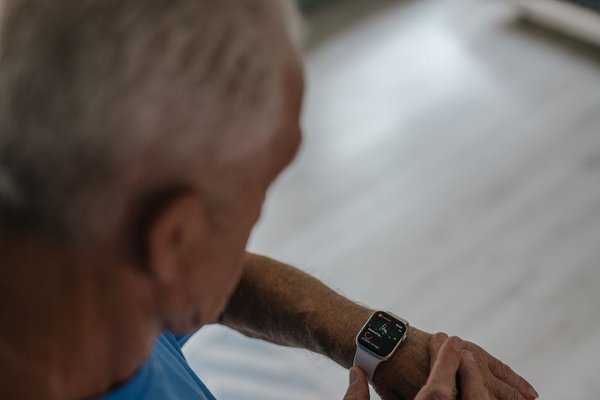
A wearable can be reassuring, but only if someone can use it comfortably when it matters. For an older adult, that might mean an easy-to-press help button during a walk, a watch with clear text, or a discreet tracker that encourages movement. The best wearable technology for seniors is not necessarily the device with the longest feature list. It is the one that fits the person’s abilities and safety needs.
Choosing between watches, fitness bands, and emergency pendants gets easier when you separate essential functions from extras. Consider who will wear the device, where they spend time, and who should respond if something goes wrong.
Match the device to a real daily routine
Start with an ordinary day. Does the wearer garden alone, take the bus, exercise outdoors, or mostly stay at home? Can they operate a touchscreen without reading glasses? Would they remember to charge a watch each night?
Someone who walks independently may value GPS and a way to call for help away from home. Someone who rarely carries a phone might need a cellular-connected device or a dedicated emergency service. An activity band may be better when the main goal is movement reminders rather than emergency response.
This approach beats selecting something solely because it is marketed as a senior safety wearable.
Three common types of wearables for older adults
Emergency pendants and wrist buttons
Personal emergency response devices emphasize one prominent button. Pressing it may contact a monitoring center or designated contacts. Some offer automatic fall detection. Home-based models may depend on a base unit, while mobile versions use cellular coverage.
Check what happens after an alert, whether two-way conversation is possible, and whether monitoring requires a subscription. Simplicity matters when menus are frustrating.
Smartwatches
Smartwatches combine communication, activity information, reminders, and sometimes emergency calling or fall detection. They can suit an older adult who already enjoys a smartphone. Safety features differ across models and may depend on a paired phone, cellular connectivity, correct settings, and regional support.
Confirm the exact model’s capabilities rather than assuming every watch from a familiar brand includes them.
Fitness bands and health trackers
A health tracker for seniors may record steps, estimated activity, sleep patterns, and heart rate. These devices are often lighter than full smartwatches. Many do not provide emergency response, so they should not be treated as substitutes for an alert device.
Safety features worth checking carefully
Fall detection is helpful, not foolproof
Some wearables use motion sensors to identify a possible hard fall and sound an alert. Depending on the settings, an unanswered alert may trigger an emergency call. Yet not every fall is detected, and vigorous movement can produce false alarms.
Check whether automatic alerts are enabled, what activates them, and whether the wearer must remain motionless before escalation. Fall detection should supplement—not replace—home fall-prevention measures and regular human contact.
A help button should work under stress
Try the emergency control with the wearer. Can they find it without looking? Does it require a long press? Is the confirmation vibration or sound noticeable? A physical button may be more useful than a sophisticated screen during a frightening moment.
Ask providers about safe test-call procedures to avoid unnecessarily contacting emergency services.
Location sharing needs clear boundaries
GPS can help a trusted contact find someone requesting assistance away from home. But location may be approximate indoors, and sharing may stop when batteries die or signals disappear. Agree on when sharing is appropriate, who can view it, and how consent can be changed.
Health tracking offers context, not a diagnosis
Daily steps and activity trends can motivate movement and start conversations about routine. Heart-rate readings and certain heart-rhythm notifications may highlight changes worth discussing with a clinician. They cannot independently confirm or exclude a medical condition.
Consider whether the wearer wants detailed charts. A weekly activity summary may encourage some people more than constant notifications. Others may feel anxious about numbers that fluctuate normally. A clinician can help interpret concerning symptoms or repeated alerts.
Understanding how fitness trackers work can make their measurements easier to interpret.
Accessibility matters more than a polished display
Easy wearable devices should be comfortable, legible, and manageable without troubleshooting. Look for adjustable text size, strong contrast, clear vibration, audible feedback, and controls usable with reduced dexterity. Test the clasp as carefully as the software.
Voice controls can struggle with background noise or unclear speech. Touch controls can be difficult for someone with tremors. There is no universally accessible interface, so trying a device in person—or choosing a practical return policy—is valuable. Compare smartwatch accessibility features alongside screen size.
Battery life, coverage, and ongoing costs
An uncharged wearable offers little protection. Compare advertised battery life with realistic use: GPS, cellular calling, and continuous monitoring can shorten operating time. Think about when charging will happen and whether removing the device creates a gap in coverage.
Check whether it requires a smartphone, mobile plan, monitoring subscription, or compatible coverage where the wearer travels. Ask how alerts behave during a network outage and whether service works locally. Total ongoing cost matters more than the purchase price alone.
Run a seven-day trial before relying on it
Imagine an older adult who walks to a neighborhood shop every morning but leaves their phone at home. A family member chooses a watch with emergency calling, then discovers the feature depends on a nearby phone. A short trial would have exposed that mismatch before an emergency.
During the first week, practice charging the device, reading alerts, and contacting a trusted person through its normal functions. Follow the manufacturer’s guidance for testing emergency features. Note missed notifications, skin irritation, confusing screens, or weak coverage. Make adjustments together, respecting the wearer’s preferences.
A wearable should support independence, not turn everyday life into surveillance. Pair it with home fall-prevention habits and a reliable check-in plan.
Frequently asked questions
What is the best wearable technology for seniors living alone?
For someone concerned about getting help, an accessible SOS button and dependable response arrangements may be the best starting point. Compare monitored devices with smartwatches based on coverage, battery maintenance, and personal abilities.
Do senior smartwatches detect every fall?
No. Fall-detection systems can miss incidents or mistake other movements for falls. Their performance and automatic calling rules vary. Check official documentation and keep other emergency arrangements.
Can a wearable work without a smartphone?
Some dedicated alert devices and cellular-enabled watches operate independently for certain functions. Others rely on a paired phone, Wi-Fi, or a base station. Confirm the setup, service plan, and local coverage before purchasing.
Are wearable heart-rate readings medically reliable?
Consumer readings can help observe patterns, but accuracy varies with fit, movement, and other factors. Do not use a watch reading to diagnose a problem or dismiss symptoms. Seek medical advice when readings or symptoms cause concern.
Choose for the person, not the feature list
The strongest choice is a wearable its owner will actually wear, charge, and know how to operate. Prioritize an accessible way to request help, dependable connectivity, and privacy settings the wearer understands. Chosen thoughtfully, wearables for older adults can provide support without promising safety they cannot guarantee.