
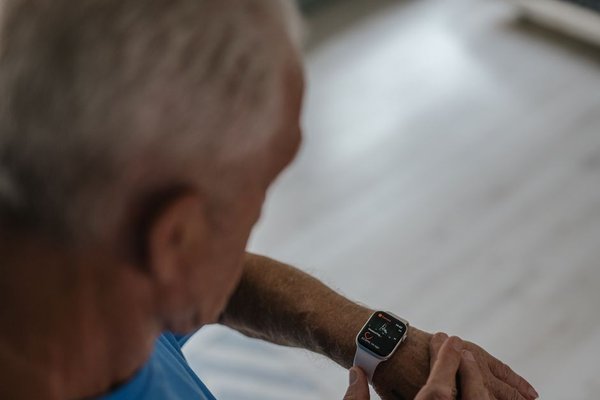
A smartwatch can make everyday tasks easier for an older adult, but only if the watch itself is easy to use. A bright screen, dependable alerts and straightforward controls often matter far more than a long list of workout modes. The best smartwatch for seniors is not necessarily the most expensive model. It is the one someone can comfortably read, operate, charge and trust in the situations that matter to them.
Start With a Display That Is Easy to Read
For many buyers, a smartwatch large display is the first sensible requirement. Look beyond the advertised screen size, though. Text should remain legible outdoors and indoors, with enough contrast to distinguish notifications from background graphics. Adjustable font sizes and uncomplicated watch faces make a noticeable difference.
Try reading a message, checking the time and identifying an incoming caller without reaching for reading glasses. Bigger icons can help people with reduced dexterity, while an always-on display may save repeated wrist movements. Keep in mind that brighter screens and always-on settings can reduce battery life.
Simple Controls Beat Complicated Menus
An easy smartwatch for seniors should make essential actions obvious. A physical button or rotating crown can be easier to manage than tiny touch targets, particularly with shaky hands or when fingers are damp. Voice commands can help with quick tasks, but they should not be the only way to operate the watch.
Check how many steps it takes to call someone, dismiss an alert and return to the main screen. Also see whether unnecessary apps and notifications can be hidden. A watch that constantly buzzes with shopping offers and app reminders may encourage its owner to ignore the one alert that matters.
Fall Detection and Emergency Calling: Understand the Limits
A fall detection watch can provide another way to seek assistance after a hard fall. On supported models, sensors may detect an impact, display a prompt and contact emergency services when certain conditions are met. The exact sequence, settings and supported countries vary by manufacturer and model.
Fall detection is not a guarantee. Some falls go unnoticed, and vigorous movement can trigger false alerts. Apple and Google both acknowledge these limitations in their support guidance. Treat the feature as an extra layer of support, not a replacement for fall prevention, regular check-ins or a dedicated medical alert service when one is needed.
Equally important is what happens when the wearer is away from their phone. Some watches require a paired phone nearby to place an emergency call; others offer cellular connectivity, sometimes with a plan or subscription. Confirm local availability, emergency-number support and whether the feature needs to be enabled during setup.
Location Sharing Should Be Useful, Not Intrusive
Location tools may reassure families when an older adult goes for independent walks or travels alone. Depending on the device, features might include sharing a live location, finding a misplaced watch or sending coordinates during an emergency. GPS hardware alone does not guarantee that another person can see a location remotely; connectivity, permissions and an appropriate app may also be required.
Agree on when location sharing will be used and who can access it. For someone who values independence, an emergency-only arrangement may feel more comfortable than continuous tracking. Test permissions and sharing before relying on the feature.
Health Tracking Is Helpful When Kept in Perspective
Heart-rate trends, step counts, activity reminders and sleep estimates can make a smartwatch useful beyond emergencies. An easy-to-understand weekly pattern often tells a more useful story than dozens of charts. Gentle movement reminders, for example, may encourage someone to take short breaks from prolonged sitting.
Consumer wearables are not substitutes for professional medical assessment. Readings can be affected by fit, motion and device limitations, and not every watch offers the same health measurements. Anyone managing a health condition should discuss concerning readings or symptoms with a clinician rather than adjusting treatment based on a wrist notification.
Battery Life and Comfort Determine Whether It Gets Worn
The most sophisticated senior safety watch offers little protection from a bedside drawer. Check realistic battery life with the intended settings enabled, including cellular service, location and an always-on screen if needed. Charging every night may suit one person; another may prefer a model that lasts several days. Choose a light, comfortable strap and straightforward charging attachment.
Make Sure the Watch Works With the Right Phone
Many smartwatches work best, or only, with particular smartphone operating systems. Confirm compatibility with the phone the wearer already owns before buying. Ask who will handle software updates, emergency contacts, permissions and forgotten passwords. A helpful relative can complete the initial setup, but the wearer should still know how to perform essential tasks independently.
Also compare the total cost rather than the purchase price alone. Cellular plans, safety subscriptions and replacement straps can change the long-term value. Our broader guides to smartwatch battery life and wearable health trackers can help narrow the choice without getting distracted by specifications.
A Ten-Minute Test Before Buying
Imagine an older adult who enjoys walking alone each morning. In a shop, ask them to put on the watch, read a message, answer a call and find the emergency control without coaching. Next, have them open the charging attachment and navigate back to the clock face. If any task feels frustrating, try another interface rather than assuming practice will solve everything.
At home, add emergency contacts, confirm location permissions and practise the help sequence without placing an actual emergency call. Check that the watch is connected as expected. Repeat a short practice session after updates, especially if the menus change. A checklist for setting up a new smartwatch can make this easier for everyone involved.
Frequently Asked Questions
What is the easiest smartwatch for an older person to use?
Look for adjustable text, clear icons, straightforward physical controls and a comfortable strap. Let the intended wearer try common tasks. Familiarity with their phone can matter as much as the watch’s technical features.
Do all smartwatches automatically call for help after a fall?
No. Automatic fall responses are limited to certain models and settings, and they may require a working connection. Even supported devices cannot identify every fall, so verify the exact emergency behaviour before purchase.
Can a senior use a smartwatch without a smartphone nearby?
Some cellular-enabled models support certain calls and safety functions away from a paired phone, provided the required service and coverage are available. Other models rely on the phone. Check the manufacturer’s requirements for the specific watch and country.
Is a smartwatch better than a dedicated medical alert device?
It depends on the person’s needs. A smartwatch combines everyday conveniences with some safety features; a dedicated alert system may offer simpler operation or specialised monitoring. Compare response arrangements, coverage, charging demands and costs rather than assuming one is always safer.
Choosing Features That Will Actually Be Used
A good smartwatch for seniors should support confidence, not add another complicated task. Prioritise a readable screen, intuitive controls, realistic battery life and emergency features that work in the wearer’s location. Then test those features together. A watch that feels natural on an ordinary Tuesday is much more likely to be worn when it is genuinely needed.