
Buying a TV for a PlayStation 5, Xbox Series X or gaming PC? The HDMI label deserves almost as much attention as the screen. HDMI 2.1 can deliver smoother gameplay, better soundbar connections and more flexibility for future equipment. But the version number on a specification sheet does not tell the whole story: some products support only a selection of the standard’s headline capabilities.
Here is HDMI 2.1 explained in practical terms: what it makes possible, which features matter and how to avoid paying for a connection your setup cannot use.
What changed with HDMI 2.1?
HDMI carries digital video and audio between consoles, televisions, receivers and soundbars. Compared with the 18Gbps ceiling associated with HDMI 2.0, HDMI 2.1 technology can support bandwidth up to 48Gbps. That capacity helps carry demanding signals, including 4K at 120Hz and, in suitable configurations, 8K at 60Hz.
Other HDMI 2.1 features address timing and audio: Variable Refresh Rate (VRR), Auto Low Latency Mode (ALLM) and enhanced Audio Return Channel (eARC). Crucially, individual HDMI 2.1 features are optional under the specification. Check supported resolutions, refresh rates, gaming modes and audio functions for each port instead of relying on a logo.
Why 4K at 120Hz matters to gamers
A 4K image contains roughly 8.3 million pixels. At 120Hz, a screen can refresh 120 times per second rather than 60. When a game and console produce enough frames, motion may appear clearer and controls feel more immediate.
The phrase 4k 120hz hdmi describes the entire signal path, not a promise that every game runs at 120 frames per second. Your device, game settings, television panel, input port and cable must cooperate. A 60Hz panel cannot become a 120Hz display simply because it has an HDMI 2.1-branded socket.
Some games offer 120fps performance modes that reduce graphical detail or resolution. For films and everyday streaming, 4K/120 often matters less than contrast and HDR performance. Those priorities are worth exploring in a gaming TV buying guide.
How VRR reduces tearing and uneven motion
Games do not always render frames at identical intervals. Without synchronization, fluctuating delivery can produce screen tearing or uneven motion. On a compatible VRR TV, the display adjusts its refresh timing to follow the source within a supported range.
Imagine a racing game varying between 75 and 110 frames per second. VRR can make those changes look less disruptive. It does not invent frames or eliminate every kind of stutter, and results depend on the display’s supported VRR range.
Check HDMI VRR support and any platform-specific compatibility you need, such as AMD FreeSync or Nvidia G-Sync Compatible operation. These labels do not guarantee identical behavior, and consoles have their own compatibility requirements.
ALLM makes switching to games easier
Auto Low Latency Mode allows compatible equipment to request a low-lag display setting automatically. Starting a game may activate Game Mode, while returning to a film can restore different picture processing. ALLM saves menu adjustments; it does not make a slow display inherently fast.
Other defined HDMI 2.1 capabilities include Quick Frame Transport, designed to reduce transport latency, and Quick Media Switching, designed to reduce black-screen interruptions during certain frame-rate changes. Treat these as bonuses unless the manufacturer explicitly confirms support.
eARC can simplify surround-sound connections
Audio Return Channel lets a TV send sound to a soundbar or AV receiver over HDMI. Enhanced ARC, or eARC, provides capacity for compatible high-bitrate audio, including lossless formats and advanced surround-sound tracks.
Consider a console connected directly to a TV’s 4K/120 input, with the TV’s eARC port connected to an eARC soundbar. That arrangement can preserve the gaming video path without forcing the signal through an older receiver that cannot pass 4K/120.
Both audio devices must support the required functions. The TV may also need audio passthrough enabled, and not every model passes every soundtrack unchanged. Compare its audio-format support rather than assuming eARC guarantees Dolby Atmos or DTS playback in every configuration. A soundbar connection guide can help when choosing between direct HDMI, eARC and optical audio.
Which HDMI 2.1 cable do you need?
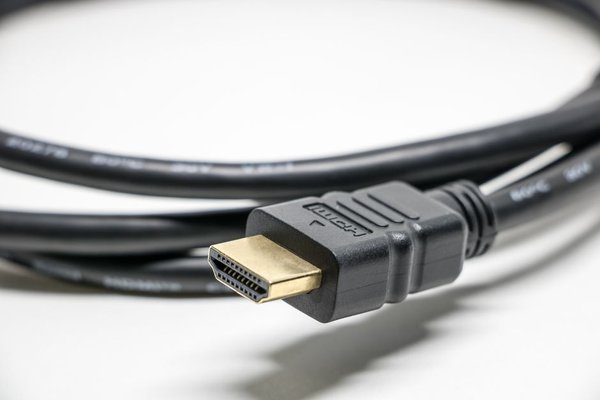
For demanding video modes, look for a certified Ultra High Speed HDMI Cable. This is the official cable designation introduced for HDMI 2.1 systems up to 48Gbps, including 4K/120. Genuine certified packaging carries an Ultra High Speed HDMI Certification Label with a verification code.
Searching for an ‘hdmi 2.1 cable’ is common, but the official certification means more than an informal version claim. A premium-priced cable cannot improve a digital picture that a correctly functioning certified cable already delivers. It also cannot unlock a refresh rate that the television does not support.
Older cables can still be adequate for 1080p or 4K/60. For unusually long cable runs, installation and construction matter; certified active cables may help. Check direction markings on active or optical models, because some are not reversible.
Check the actual ports before buying
Suppose a television has four HDMI sockets, but only two accept 4K/120, and one of those is also the eARC port. A console, gaming PC and soundbar could then compete for the most capable connections, despite the prominent HDMI 2.1 label.
Before buying, verify the panel’s native refresh rate, each port’s 4K/120 and VRR capabilities, the eARC location and any published bandwidth limits. If using an AV receiver or HDMI switch, check its passthrough specifications too. A connection chain is only as capable as its least capable device.
After setup, enable any enhanced HDMI input setting, inspect the console’s detected video modes and test a game with an available 120Hz option. If Game Mode changes the image noticeably, a TV picture settings guide can help balance responsiveness and image quality.
Frequently asked questions
Do I need HDMI 2.1 for PS5 or Xbox Series X?
No. Both consoles can use older HDMI connections with reduced video capabilities. For supported 4K/120 and HDMI VRR modes, the entire connection must be compatible; individual games also vary.
Do Netflix and ordinary television require HDMI 2.1?
Usually not. Most streaming programmes do not need 4K/120. Panel quality, HDR performance and useful apps generally matter more for streaming-first households.
Does every HDMI 2.1 TV support 48Gbps?
No. Individual features are optional, and port capabilities vary. Check the actual signal formats and bandwidth rather than assuming every socket reaches the specification’s maximum.
Will a new HDMI cable improve a 60Hz screen?
It may provide a reliable connection, but it cannot change the panel’s refresh rate or add unsupported functions. Match the cable to the video signal your equipment can deliver.
What matters most
HDMI 2.1 is especially worthwhile for high-refresh 4K gaming, VRR and eARC sound. Instead of shopping by version number, match the capabilities of your TV, sources, audio equipment and cables. That check prevents frustrating surprises after everything is plugged in.